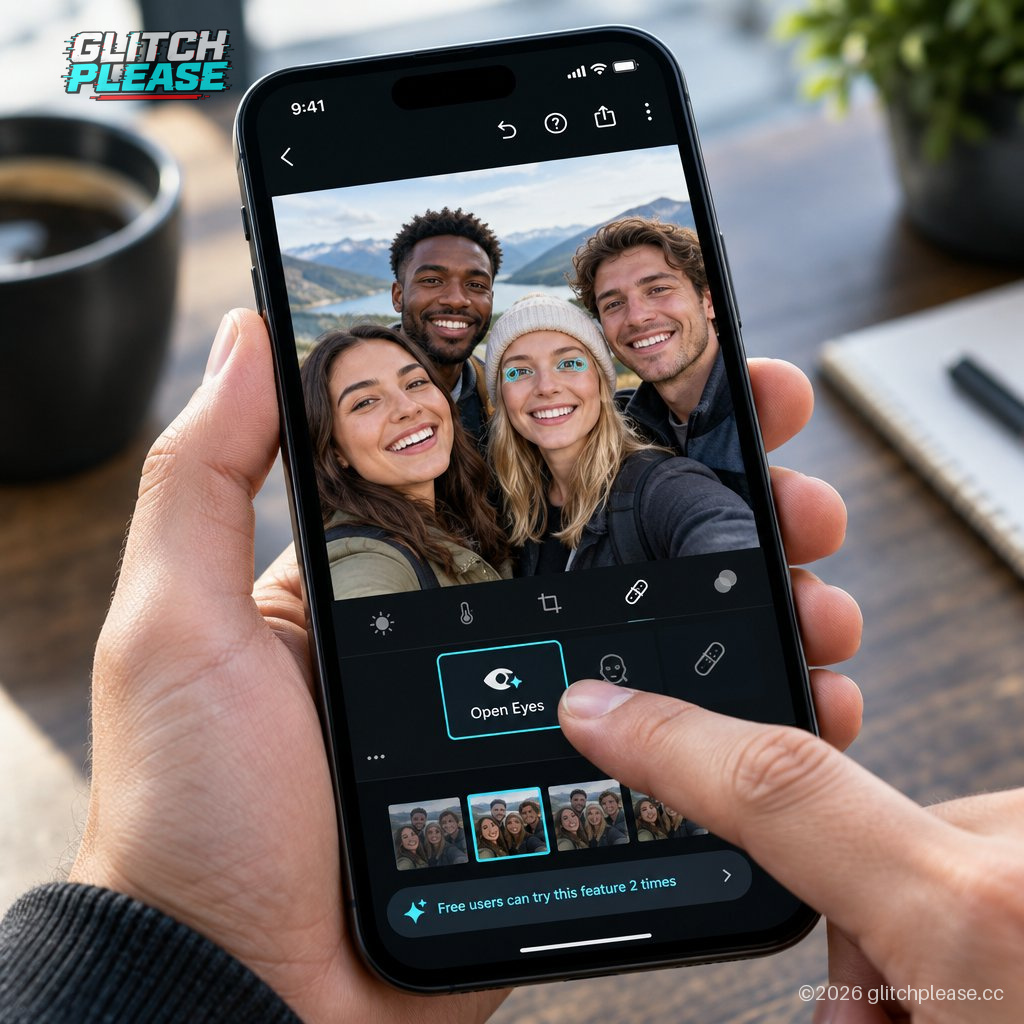
Adobe Lightroom mobile can now use generative AI to open closed eyes in photos, turning a familiar group-photo disappointment into a one-tap edit. The feature is available on iOS, iPadOS, and Android, and Adobe says Lightroom will offer it when the app detects a person—or several people—with their eyes shut.
The new Open Eyes Quick Action appears as an icon over the image. Tap it, and Lightroom generates open eyes that are meant to match the person’s lighting and pose. The app can also use other images of that person in the user’s Lightroom library as a reference, helping it match their eye color, size, and shape.
That last part matters. A closed-eye photo does not contain a secret, camera-ready version of the subject’s open eyes waiting to be uncovered. Generative AI makes a plausible replacement; it does not recover what the camera never captured. Lightroom’s reference images may help the result resemble the person, but this is still an alteration, not a time machine with an unusually specific subscription plan.
Adobe has offered a related fix in Photoshop Elements for nearly a decade, but that tool draws replacement eyes from another photo of the subject. As DPReview notes, differences between the two shots can make the results inconsistent. Adobe’s other apps, including Photoshop, can make similar edits with generative AI, but the process is less direct than Lightroom mobile’s new one-tap action.
There is, naturally, a catch for people using Lightroom mobile for free. According to DPReview, they can try Open Eyes twice before the app prompts them to subscribe to an Adobe Creative Cloud plan that includes more credits for its AI tools. Adobe has made the button easy to find; unlimited use is another matter.
For everyday users, this could be handy for a family photo where one blink spoiled an otherwise good shot. It is less appropriate when an image needs to document exactly what happened: an AI-generated expression can change how a moment appears. And if Lightroom lacks useful reference photos of the subject, Adobe’s description does not guarantee how convincing the edit will be.
The practical takeaway: Open Eyes offers a simpler alternative to digging through a more complex editor, but it comes with the usual generative-AI caveat—and a limited free trial. Check the result before sharing it, particularly in group shots where a polished correction can quietly become a different-looking memory.
Sources: Glitch Please! and The Verge — https://www.theverge.com/tech/1014246/adobe-lightroom-mobile-ai-quick-action-open-eyes-closed-blink-repair — Original report by Andrew Liszewski, DPReview — Cited in The Verge’s report for details on Lightroom’s reference-image approach and free-use limits
Generated by AI
